Overview
What RadioCLI is, what it does, and where to go next.
RadioCLI is a terminal-first world radio receiver for exploring live public stations, tuning real streams, and keeping listening history close to the command line.
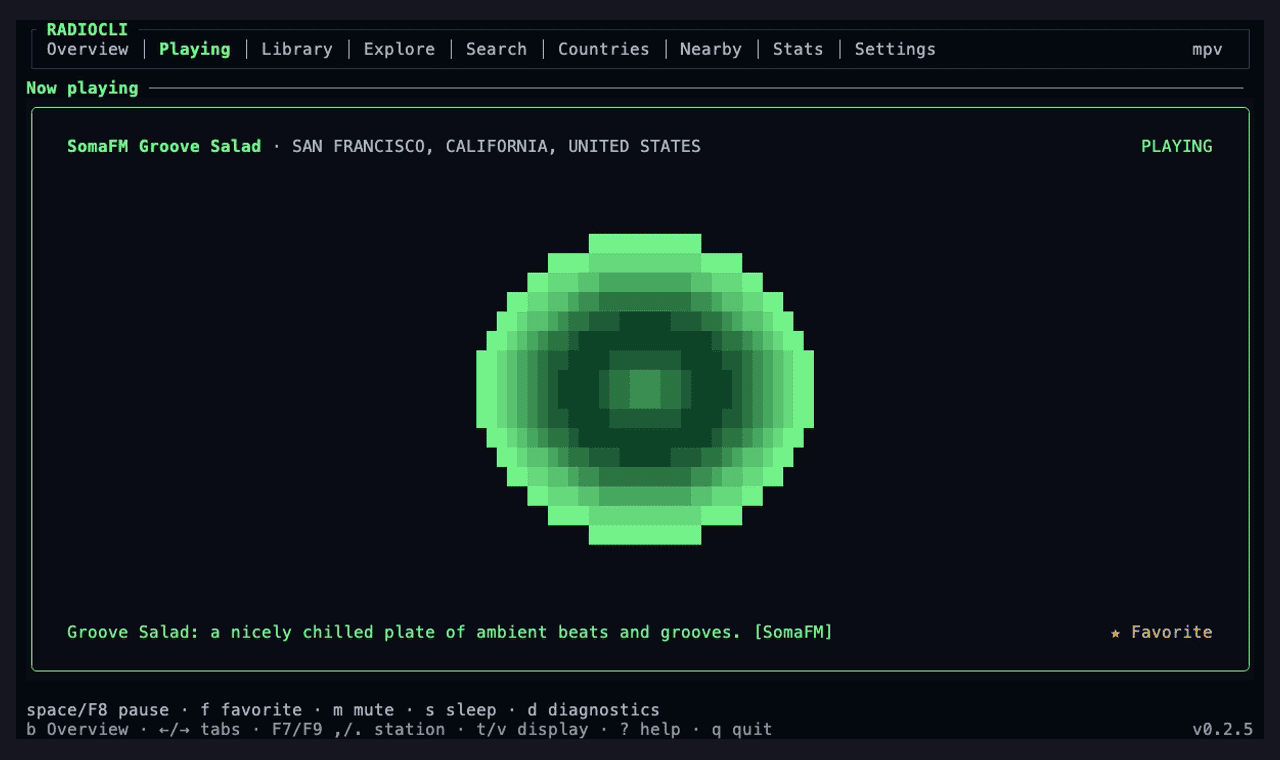
It is built with Ink, React, Radio Browser, and local playback backends. The goal is not a thin wrapper around a station list; the goal is a polished TUI product with fast discovery, resilient stream handling, local-first library state, and a codebase that can grow without turning into terminal spaghetti.
Start Here
- Install RadioCLI for requirements, macOS setup, local checkout usage, and migration notes from the old Radio Atlas paths.
- Use the CLI for command-mode search, imports, exports, health checks, and direct stream adds.
- Learn the TUI controls for navigation, playback, command palette, media keys, and settings.
- Set up Alarms (Beta) for scheduled radio, verification, platform behavior, ringing controls, and safety limitations.
- Watch the demo flow for the recommended terminal recording loop.
Product Surface
RadioCLI includes:
- a braille Explore world map beside the station list, with click-to-place mouse support and WASD movement backed by a cached geotagged station atlas, plus country lists, global search, a station-density country map, and nearby discovery
mpvplayback first for full controls, withffplayplayback-only fallback when available- a receiver-style Now Playing screen with selectable displays, stream
diagnostics, cleaned ICY metadata,
mpv-backed volume, pause, mute, sleep timer, favorite state, station skipping, and zero-signal graphics whenever playback is inactive - previous/next queues based on the exact station list you tuned from
- recents, favorites, imports, provider cache, playback settings, learned media keys, and listening stats stored locally
- one-time and recurring scheduled radio from an Alarms workspace under Overview, backed by the native per-user scheduler on supported platforms
- automatic direct-stream metadata import,
.m3u,.pls, and.xspfplaylist import, and.m3uexport
Engineering Surface
The project is intentionally small, but it is built like production software:
- provider adapters instead of UI-coupled fetch calls
- a cached geotagged station atlas for distance-first Explore and Nearby results
- schemas at API and persistence boundaries
- stale-cache fallback for directory outages
- corrupt store/cache backups instead of silent overwrite
- backend readiness checks before playback is reported active
- deterministic tests for parsing, storage, layout, visualizers, and UI helpers
- live smoke checks for provider data and playback before releases
Read deeper in Architecture, Reliability, and Privacy and Security.